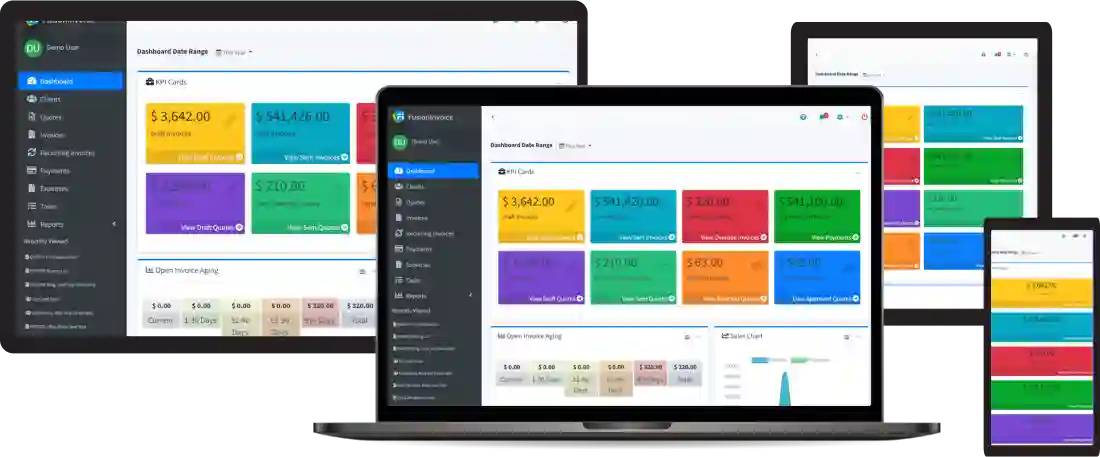
FusionInvoice is a Laravel/PHP invoicing app you self-host. License is currently around $129/year; runs comfortably on a $6/month DigitalOcean Droplet. I install it for clients and run it for Tiempo itself. The comparison against QuickBooks is in FusionInvoice vs. QuickBooks.
This post is the install steps. If you already run nginx + PHP somewhere, skip to step 4.
What you need
- A Linux server you can SSH into. I use Ubuntu LTS on a basic DigitalOcean Droplet ($6/month).
- A domain name (or subdomain) pointed at the server’s IP.
- A FusionInvoice license. You can run the trial first.
1. Server prep
On a fresh Ubuntu LTS Droplet:
sudo apt update && sudo apt upgrade -y
sudo apt install nginx mysql-server php-fpm php-mysql php-mbstring php-xml php-zip php-curl php-gd php-bcmath unzip -y
sudo ufw allow OpenSSH
sudo ufw allow 'Nginx Full'
sudo ufw enable
Verify PHP version: php -v. FusionInvoice 2024+ wants PHP 8.1 or higher.
2. Database
sudo mysql_secure_installation
sudo mysql -u root -p
In the MySQL prompt:
CREATE DATABASE fusioninvoice CHARACTER SET utf8mb4 COLLATE utf8mb4_unicode_ci;
CREATE USER 'fiuser'@'localhost' IDENTIFIED BY 'a-real-strong-password-not-this';
GRANT ALL ON fusioninvoice.* TO 'fiuser'@'localhost';
FLUSH PRIVILEGES;
EXIT;
3. Drop the FusionInvoice files
Download your purchased ZIP from FusionInvoice’s site (or grab the trial). Then:
sudo mkdir -p /var/www/fusioninvoice
sudo unzip ~/fusioninvoice-X.Y.Z.zip -d /var/www/fusioninvoice
sudo chown -R www-data:www-data /var/www/fusioninvoice
sudo chmod -R 755 /var/www/fusioninvoice/storage /var/www/fusioninvoice/bootstrap/cache
4. Nginx vhost
Create /etc/nginx/sites-available/fusioninvoice:
server {
    listen 80;
    server_name invoices.example.com;
    root /var/www/fusioninvoice/public;
    index index.php;
    location / {
        try_files $uri $uri/ /index.php?$query_string;
    }
    location ~ \.php$ {
        include snippets/fastcgi-php.conf;
        fastcgi_pass unix:/run/php/php8.1-fpm.sock;
    }
}
Then:
sudo ln -s /etc/nginx/sites-available/fusioninvoice /etc/nginx/sites-enabled/
sudo nginx -t && sudo systemctl reload nginx
5. TLS with Let’s Encrypt
sudo apt install certbot python3-certbot-nginx -y
sudo certbot --nginx -d invoices.example.com
Certbot rewrites the vhost to add the 443 server block and sets up auto-renewal. Confirm with sudo certbot renew --dry-run.
6. Run the FusionInvoice web installer
Visit https://invoices.example.com/setup in a browser. The installer walks you through the database credentials, license key, and admin user. Five minutes start to finish.
The one gotcha that catches everyone
storage/ and bootstrap/cache/ must be writable by www-data. If you get a generic 500 error on first load, that’s 95% of the time the cause. sudo chown -R www-data:www-data /var/www/fusioninvoice fixes it.
Upgrades
FusionInvoice ships a few releases per year. The upgrade dance is:
- Take a database backup.
mysqldump -u fiuser -p fusioninvoice > backup-$(date +%F).sql - Download the new release ZIP from your customer dashboard.
- Unzip it on top of
/var/www/fusioninvoice(it overwrites the code, leaves your config and storage). - Restore the right ownership:
sudo chown -R www-data:www-data /var/www/fusioninvoice - Hit the site once; FusionInvoice handles the migration on first request.
I’ve never had a FusionInvoice upgrade brick a database. The backup is for peace of mind.
Backups
Two things worth backing up:
- The database. Nightly
mysqldumpto DigitalOcean Spaces or another off-host location. ~$5/month for Spaces and you keep a long history. - The
storage/uploads/directory. That’s where logos, signed quotes, and invoice attachments live.rcloneto the same Space works fine.
I run weekly DigitalOcean Droplet backups too ($1.20/month) as a full-VM safety net.
If you want me to install it
I do FusionInvoice installs as a one-shot service, plus monthly management if you want patches and upgrades handled. Get in touch.